TillNext: Paycheck Planner Help & FAQ
TillNext: Paycheck Planner is a simple paycheck planning app for iPhone. This page covers the common tasks people usually need after setup.
Start With Home
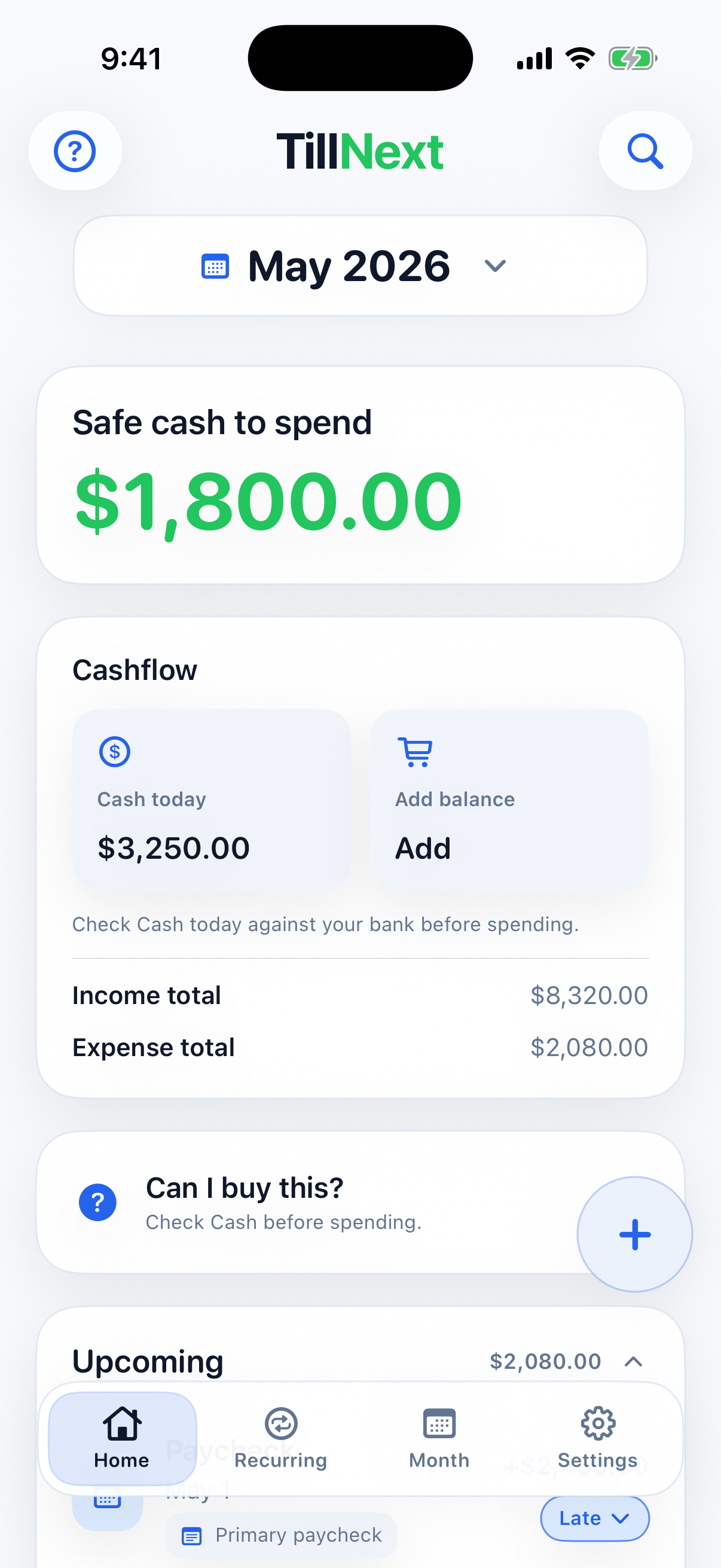
Home shows the current month, upcoming and completed items, and how much is left till next month or next income.

- Use the month control to review another month.
- Tap an upcoming item to edit or update it.
- Use status buttons to mark expenses paid, income received, or items skipped.
- Review completed items when you need to confirm what already happened.
Manage Recurring Items
The Recurring tab is where repeating income and bills live. It also lets you view recurring items in future months.

- Add recurring income for paychecks, benefits, or other repeating money in.
- Add recurring expenses for bills and subscriptions.
- Use the month control to view future-starting recurring items.
- Open a recurring item from another month to see that month's occurrence date.
- Tap the clock button next to a recurring item to review past occurrences.
Review The Month
Month shows the selected month as a calendar, including cash changes and the projected ending cash for each day.

- Use the month control to review another month.
- Check day-by-day cash movement when Home's safe cash number needs more detail.
Use Settings
Settings keeps local app controls together: display preferences, CSV export and restore, manual backup and restore, reset, help, support, and terms.

- Use CSV export when you want a spreadsheet-friendly copy of your local planning data.
- Use Restore from CSV or Restore from iCloud when you want to replace this device's planner data with a file you choose.
- Use manual backup when you want a restorable TillNext backup file in Files or iCloud Drive.
- Use local reset only when you want to remove TillNext planning data from this device.
- Use support links for private email support or public technical issue reports.
- Review Terms & Privacy from the small footer link.
Use The Tilly Companion
Tilly is an optional draggable clock character that lives on your Home screen and can be tapped for gentle planning hints. Enable or disable Tilly in Settings under Display.
- Drag Tilly anywhere on the Home screen to reposition it.
- Tap Tilly to get a planning nudge relevant to the tab you have open.
- Tilly is off by default — turn it on in Settings → Display → Tilly companion.
Use Home Screen Widgets
TillNext offers two widget styles. The standard TillNext widget shows the Till Next amount with quick-add buttons for income and expenses. The Tilly widget shows the same balance alongside Tilly's full character in small and medium sizes.


Compare Home Light And Dark Mode
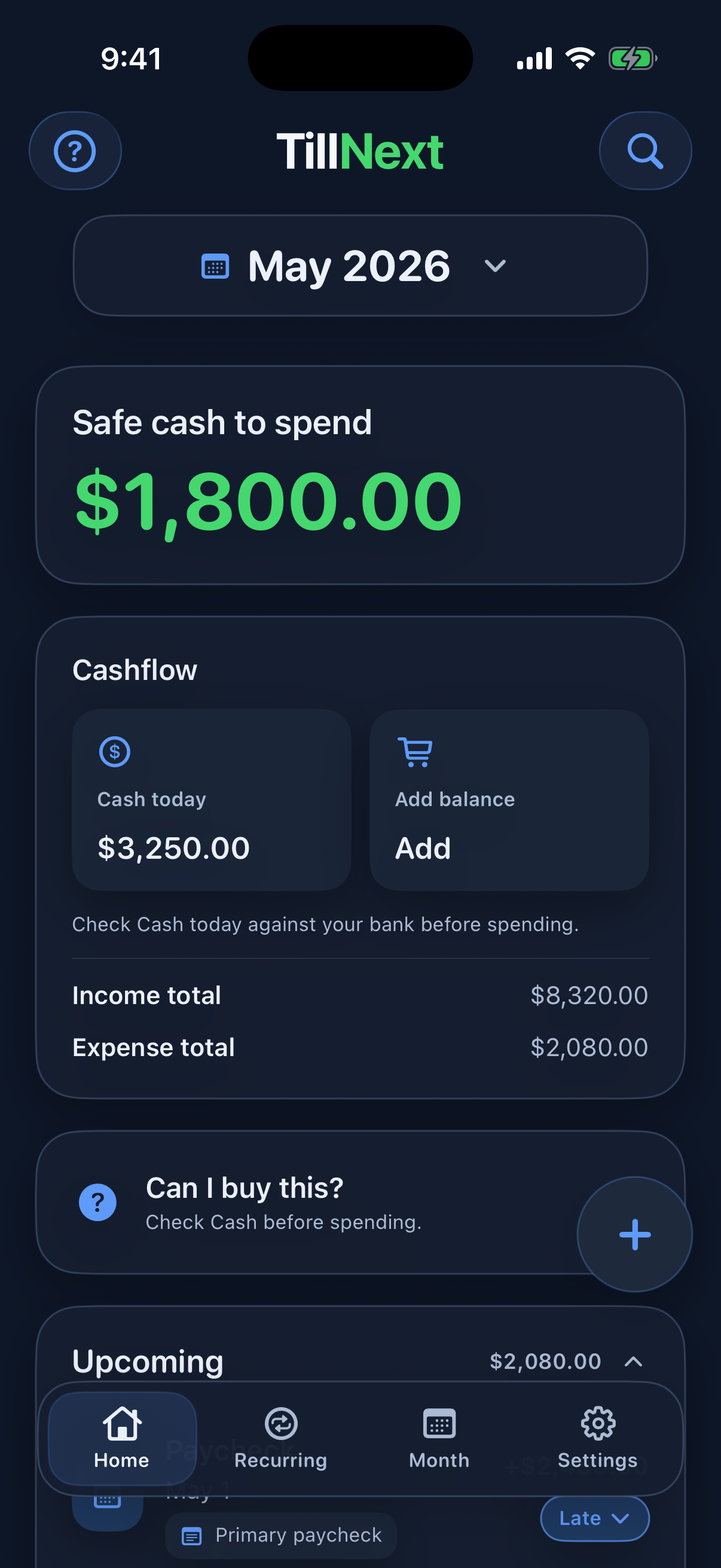
Home follows the iPhone Light or Dark Mode setting while keeping the same planner controls.
Common Tasks
Add a paycheck
Open Recurring, add recurring income, enter the amount and schedule, then save. TillNext will place occurrences into each month.
Add a bill
Open Recurring, add a recurring expense, enter the amount, due date, and frequency, then save. Use Autopay only as a visual reminder.
Add a one-time expense
Use the add button from Home for expenses that only happen once, such as groceries, fuel, repairs, or a special purchase.
Change one month without changing the whole rule
Open the item for the month you are viewing and update the month-specific amount or status. The recurring rule stays intact.
See a future recurring item
Open Recurring and move the month control forward. Future occurrences appear in the date context of the selected month.
Export your data
Open Settings and use Export CSV. TillNext prepares a spreadsheet-friendly file from the data stored locally on your device, including Home cash and projected daily balance rows.
FAQ
Does TillNext require an account?
No. TillNext does not require an account or sign-in.
Does TillNext connect to banks, Google, or other services?
No. TillNext has no external connectors, bank sync, Google integrations, ads, analytics, or tracking.
What devices does TillNext support?
TillNext is built for iPhone and requires iOS 17 or later.
Where is my data stored?
Your planning data is stored locally on your device. TillNext does not send your paycheck or budgeting details to a developer-operated server.
Is Autopay automatic payment?
No. Autopay is only a visual reminder that a bill is paid automatically somewhere else. TillNext does not pay bills.
How does the trial work?
TillNext includes a local 30-day full-editing trial. After the trial ends, the app becomes read-only until you buy the one-time lifetime unlock through the App Store.
How do I get support?
For private support, email support@tillnext.app. For technical bug reports, use GitHub Issues.
Where are the terms and privacy policy?
You can review the Terms of Use and Privacy Policy on this site or from Settings in TillNext.